Solar Not Reporting to the Meter? What Inverter Lights Mean
Solar meter stopped showing production? Learn how to read your inverter lights, confirm if your panels are still producing, and know when it’s time to call for service.
When Your Solar Meter Stops Reporting: Is Your System Really Down?
We recently got a call from a customer — let’s call her Karen — who had a problem a lot of solar owners eventually run into.
Karen told us her solar panels were installed about two or three years ago, and everything had been working fine. But in April, her utility’s meter reader suddenly stopped getting any solar readings from her system. The big question on her mind was simple:
“Are my panels not producing power anymore, or is it just not getting to the meter?”
If that sounds familiar, you’re not alone. Let’s walk through how we helped her over the phone, and what you can do at home to tell whether your solar system is still producing, what those inverter lights really mean, and when it’s time to call for service.
Solar Not Showing on the Utility Meter: What It Might Mean
When Karen called, her first clue was the utility-side reading: their meter reader wasn’t seeing any solar production data from her home anymore.
That situation usually points to one of three things:
- Your system has stopped producing (fault or shutdown at the inverter or panels).
- Your system is producing, but not reporting correctly (communication or meter issue).
- Your monitoring or reporting equipment is down, but the physical power flow is still happening.
The fastest way to start narrowing it down is to go straight to the “heart” of the system: the inverter.
Step 1: Find Your Inverter (and Why It Matters)
On the call, we asked Karen what kind of system she had — something like SolarEdge or Enphase. She wasn’t sure, which is common if it’s been a few years since installation and you haven’t looked at it much.
If you’re in the same boat, here’s what to do:
- Look for a box labeled something like “Inverter” or a brand name: SolarEdge, Enphase, SMA, Fronius, etc.
- It’s usually mounted near your main electrical panel, garage, side of the house, or near where the solar conduit comes down.
- Some systems have a single string inverter (one main box). Others use microinverters under each panel, in which case you may only see a small communication box.
For Karen, the description sounded like a SolarEdge-style inverter, which has very distinctive lights on the front. That let us walk her through a simple check over the phone.
Step 2: Understanding the Inverter Lights
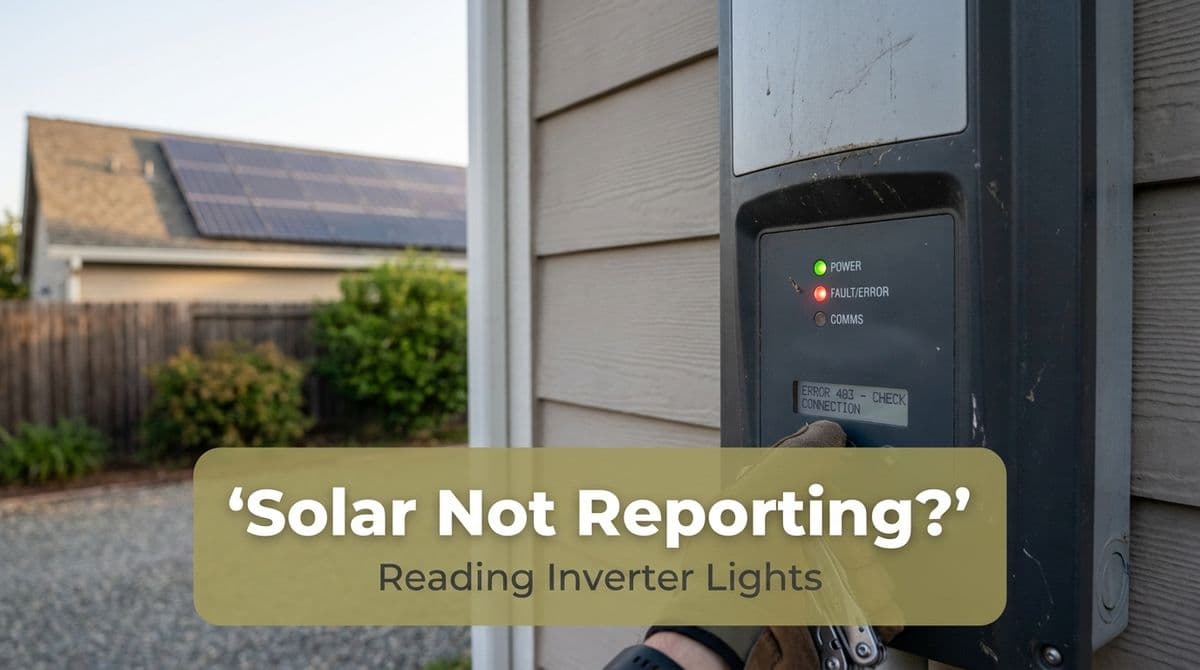
On many string inverters (like SolarEdge), there are three indicator lights on the front:
- Green light – Production / normal operation
- Blue light – Communication (often to the monitoring portal or gateway)
- Red light – Fault, error, or shutdown
On our call, we explained to Karen that, in normal operation on a sunny day, she should see:
- Green: solid (actively producing power)
- Blue: solid or blinking (talking to the monitoring system)
- Red: off (no error)
She went outside to check and came back with a different story: she had a red and blue light on, but no green light.
That combination is a strong sign that the system is not producing power and is likely in a fault or shutdown state. As we told her on the call, “There’s definitely something going on there with the production — you’re probably not producing.”
Common Light Patterns and What They Mean
Here’s a quick guide for many common inverters (always double-check with your model’s manual):
- Solid green, blue on: System producing and reporting correctly.
- Solid green, no blue: Producing power, but not communicating to the monitoring portal (reporting issue only).
- No green, red on: Fault or error; usually not producing.
- All lights off (during the day): No DC input (panels), no AC output, or inverter not powered; often requires professional diagnosis.
If you see anything other than “green on, red off,” it’s worth taking a closer look.
Step 3: Is Your System Actually Producing Power?
If your lights suggest trouble (like Karen’s red and blue combination), here’s how you can double-check whether your solar is really offline or if it’s just a reporting issue:
- Check in the middle of a sunny day.
Cloudy conditions or early morning/late evening can make an inverter look like it’s not producing, simply because there isn’t enough sunlight. - Look at your main electric meter.
On many meters, if solar is producing more than you’re using, you’ll see the meter “spinning backward” (older meters) or a negative/low net usage value (newer digital meters). If it only ever shows normal forward consumption, solar may not be contributing. - Compare your electric bill.
If you’ve seen a sharp jump in utility charges or a big drop in credited kWh since a certain month (like Karen’s drop in April), that’s a strong sign your system has been offline or underperforming. - Check your monitoring app or portal.
If you have a SolarEdge, Enphase, or similar app, log in and look at daily production. If you see flat lines at zero but the inverter’s green light is on, the issue is likely communication/reporting, not production.
When to Call for Service (and What We Do On-Site)
In Karen’s case, the red and blue lights and missing green light told us we weren’t looking at a simple meter reporting glitch. We scheduled a technician to come out the same day to diagnose.
On a typical service visit for this kind of issue, we’ll:
- Check inverter error codes and event logs.
- Verify DC voltage from the panels and AC output to your home.
- Test breakers, disconnect switches, and wiring connections.
- Confirm utility interconnection equipment and settings.
- Restore or reconfigure monitoring so you can see production again.
Sometimes the fix is as simple as a tripped breaker or a communication module that needs to be reset. Other times, it can be a failed inverter or an issue on the utility side that we coordinate with your power company to resolve.
Simple Safety Reminder
It’s completely fine — and helpful — for you to look at the inverter lights, monitoring app, and electric meter. But avoid taking off any covers, opening electrical panels, or trying to rewire or reset anything you’re not familiar with. Solar equipment ties into high-voltage electrical systems, and safety should always come first.
Not Seeing Green on Your Inverter? Here’s Your Next Step
If your utility stops seeing your solar production, or you notice a spike in your power bill, don’t ignore it and hope it “fixes itself.” A system that’s offline for months can quietly cost you hundreds of dollars in lost energy savings.
Use the same steps Karen did:
- Find your inverter and check the lights.
- Note which colors are on, and whether they’re solid or blinking.
- Check your monitoring app and your latest bills.
- Then call a qualified solar service company with that information.
When you call us, telling us, “I see a red and blue light, but no green,” is exactly the kind of detail that helps us diagnose faster and often get you back up and running sooner.
If you’re worried your solar panels aren’t reporting to the utility meter — or might not be producing at all — we’re happy to walk you through a quick over-the-phone check and schedule an on-site visit if needed.