Solar Panels Offline After New Internet? How to Reconnect
Changed internet and your solar panels vanished from the app? Learn why systems go offline, what you can check yourself, and when a solar tech should step in.
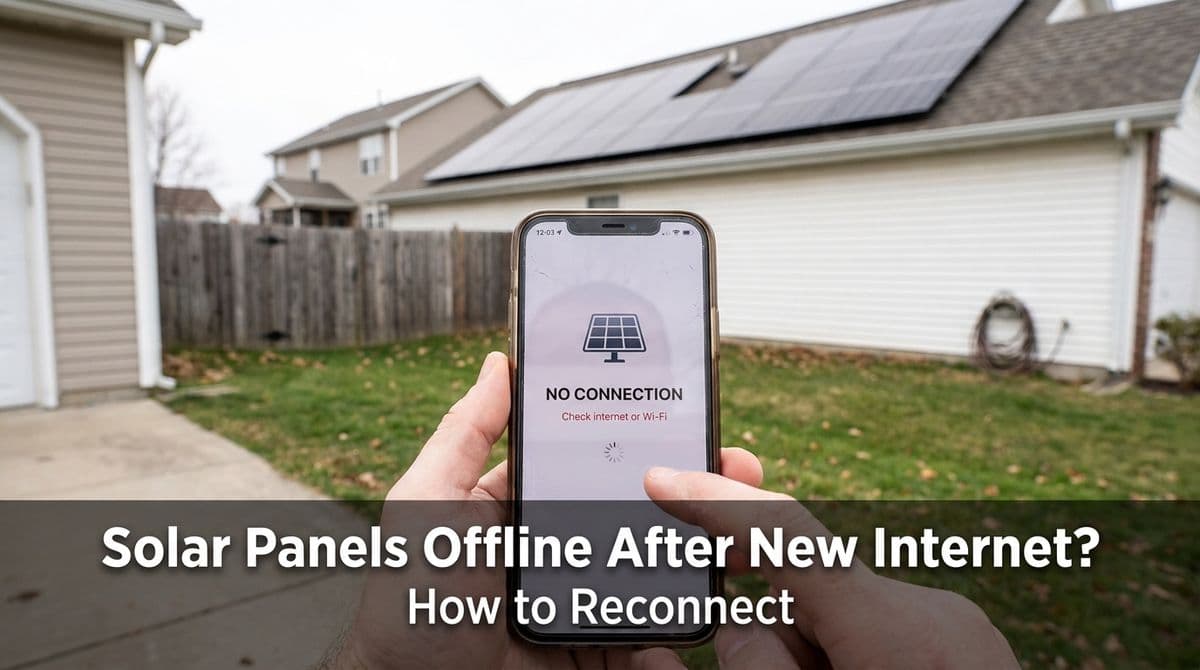
Solar panels disappeared from your app after changing internet?
We recently got a call from a customer — let’s call her Linda — who owns a rental home with solar panels. The tenants had changed the internet service, and ever since then, the solar system stopped reporting online. Their utility bill suddenly doubled, the monitoring portal showed nothing, and after weeks of trying to fix it with the original installer and the energy company, they were stuck.
Linda told us, “The last time this happened, a technician had to go behind the electrical box with a laptop and reprogram everything. Can you send someone who knows how to get the solar talking to the cloud again?” That’s exactly the kind of call we get a lot whenever Wi‑Fi, routers, or internet providers change.
In this post, we want to walk you through why this happens, what you can safely check yourself, and when it’s time to have us (or another qualified solar technician) come out so your monitoring and billing go back to normal.
Why solar stops reporting when internet or Wi‑Fi changes
Most modern solar systems include some form of monitoring gateway — either built into the inverter or as a separate little box near your electrical panel. That device sends your production data to a cloud portal or app using your home’s internet connection.
When anything in that chain changes, the link can break:
- New internet provider (ISP) – The old modem/router is removed and replaced with new equipment.
- New router or Wi‑Fi name/password – The monitoring device is still looking for the old network.
- Router moved farther away – The monitoring device can’t get a strong signal anymore.
- Network security changes – Firewalls or settings can block the monitoring traffic.
From the solar system’s perspective, nothing “about the panels” broke; the communication path to the internet just changed, and the monitoring device doesn’t know how to find the new network.
How solar monitoring portals actually work
When our customers log into their monitoring portal or app, they’re viewing data that’s been sent from:
- Solar panels producing DC power
- Inverter converting DC to AC and measuring production
- Gateway or modem that packages those readings
- Your home network (Wi‑Fi or Ethernet) sending data out to the internet
- Cloud server that stores and displays the data in your app
If any step between the gateway and the cloud is broken, the app can’t show current production. Meanwhile, the panels may still be producing power just fine; you just can’t see the data, and in some cases the utility or third‑party billing company may stop getting readings.
Common symptoms when your solar is “offline”
When there’s a connectivity problem, our customers usually notice one or more of these signs:
- No recent production in the app – The portal shows zeros or no update for days or weeks.
- System status: “offline” or “not reporting” – The monitoring site flags the gateway or inverter as disconnected.
- Utility bill jumps – Like Linda’s renters, you might see your bill double because solar production isn’t being credited correctly.
- Energy company can’t see your data – They might say they’re not receiving solar readings anymore.
When we hear that “the bill suddenly jumped and the portal is blank,” connectivity is usually our first suspect.
DIY checks before you call in a technician
Before you schedule a service visit with us or another solar technician, there are a few safe checks you can do yourself. These won’t fix every issue, but they can solve a surprising number of them.
1. Confirm the inverter or monitoring device has power
Start by making sure the hardware that sends data is actually on:
- Inverter display or LEDs – Look for any lights or screen activity during the day when the sun is out.
- Separate gateway box – This is often near your electrical panel or router. Check for power lights.
- Reset if needed – If the manufacturer’s manual says it’s safe, you can often power-cycle the gateway by unplugging it for 30 seconds and plugging it back in.
If everything is dark, there may be a tripped breaker, blown fuse, or failed device — that’s usually when you want us to step in.
2. Check your Wi‑Fi network and credentials
Next, confirm what changed with your internet:
- Did you change providers (Comcast, AT&T, Spectrum, etc.)?
- Did the Wi‑Fi name (SSID) or password change?
- Did you get a new router from the ISP?
Most solar monitoring devices “remember” the old Wi‑Fi network. If your phone connects to “MyHome5G” but the solar gateway is still trying to find “SmithFamilyWiFi,” it will never reconnect without being reprogrammed with the new credentials.
Some systems allow you to update the Wi‑Fi settings through the manufacturer’s app or a local web page. If you’re comfortable with tech, log into the solar app and look for a network or Wi‑Fi setup section. If you don’t see an option, that’s often a sign the gateway must be reconfigured onsite by a technician with the right software.
3. Look at router distance and signal strength
We also ask customers to think about whether anything physically moved:
- Is the new router in a different room, farther from the inverter or gateway?
- Is there more metal, concrete, or brick between them now?
- Are there Wi‑Fi extenders that might be confusing the connection?
If the gateway is tucked in a metal electrical panel in the garage and the router is now at the opposite end of the home, the signal might just be too weak. Sometimes moving the router a few feet, or adding a properly configured access point, is enough to restore connectivity.
4. Review app settings and account access
Finally, double-check the basics in your monitoring app:
- Are you logged into the correct account (especially for rental properties with multiple users)?
- Does the app show any error messages or prompts about a new gateway setup?
- Has the system ownership or email changed, and does the new owner/tenant have access?
We’ve had cases where the system was online and producing, but the customer was just logged into the wrong account or an old email profile.
What usually requires a solar technician
In Linda’s case, everyone had done the basic steps. The energy reporting company couldn’t see the system, the original installer was too far away, and the internet provider had already confirmed their modem was working. That’s when it becomes a job for a qualified solar tech.
Here are some tasks that typically require us to come onsite:
- Reprogramming at the electrical panel or inverter – Connecting a laptop to the gateway or inverter to enter new network settings or reset communication.
- Firmware or software issues – Updating outdated firmware that no longer works with newer routers or security standards.
- Replacing failed gateways or communication cards – These small components can fail over time and need to be swapped out and commissioned.
- Diagnosing deeper electrical issues – If we find that the inverter is actually offline or a breaker is tripping, we’ll troubleshoot the electrical side as well.
Often, we literally do what Linda described: connect behind the electrical box or at the inverter with our computer, access the internal settings, and walk the system through a new network configuration so it can talk to the cloud again.
Special considerations for rental properties
Rental homes add a few wrinkles, especially when the internet account is in the tenant’s name. When we schedule a visit for a landlord, we always ask that:
- The tenant (or their tech‑savvy family member) is onsite with their Wi‑Fi name and password.
- We have permission to access the router location and, if needed, its admin page.
- The owner and tenant agree ahead of time who will manage the monitoring login going forward.
Without the correct Wi‑Fi credentials and access to the network, we can’t complete the reconnect. In Linda’s situation, having her son (the renter) present with “the whole nine yards” — correct internet info, logins, and access — was key to getting everything back online in a single visit.
When to call a pro so production and billing normalize
If you’ve worked through the safe checks above and your system still:
- Shows offline in the portal for more than a few days,
- Has a rising utility bill with no obvious reason, or
- Isn’t sending data to your energy or billing company,
it’s time to bring in a solar technician.
We’ll verify the system is producing, restore communication between your inverter/gateway and the internet, and make sure your monitoring portal and any third‑party billing or utility programs are seeing accurate data again. That way, your panels can do what they were meant to do — lower your bill — and you can trust the numbers you see online.